[해피CGI][cgimall] 클릭하면 아이콘이 나오는 바 애니메이션 Chat Bar Interaction
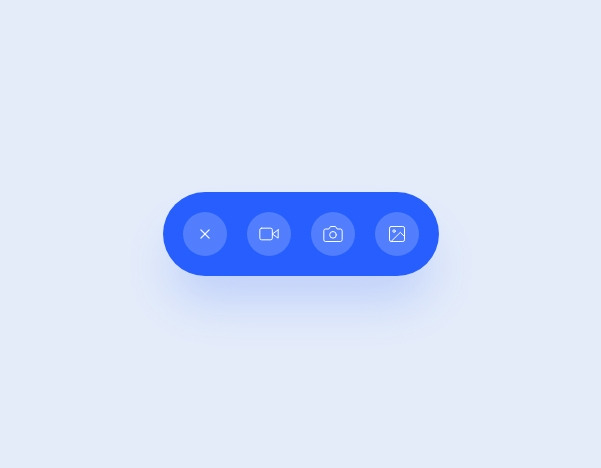
+ 버튼을 클릭하면 아이콘이 나오는 바 애니메이션입니다.
소스를 변경하여 다양하게 응용 가능합니다.
HTML 구조
<nav class="chatbar">
<div class="control">
<a>
<svg>
<use xlink:href="#plus">
</svg>
</a>
<div class="text">
<input type="text" placeholder="Message">
</div>
<ul class="list">
<li>
<a href="">
<svg>
<use xlink:href="#video">
</svg>
</a>
</li>
<li>
<a href="">
<svg>
<use xlink:href="#photo">
</svg>
</a>
</li>
<li>
<a href="">
<svg>
<use xlink:href="#image">
</svg>
</a>
</li>
</ul>
</div>
</nav>
.
.
.
CSS(SCSS) 소스
.chatbar {
--primary: #275EFE;
--shadow: rgba(39, 94, 254, .2);
width: 276px;
position: relative;
padding: 20px;
border-radius: 42px;
background: var(--primary);
overflow: hidden;
transform-origin: 42px 50%;
box-shadow: 0 32px 48px -8px var(--shadow);
.control {
--rotate: 0deg;
position: relative;
transform-origin: 22px 22px;
transition: transform .45s ease;
transform: rotate(var(--rotate));
& > a {
display: flex;
justify-content: center;
align-items: center;
position: relative;
z-index: 1;
cursor: pointer;
width: 44px;
height: 44px;
border-radius: 50%;
background: rgba(#fff, .2);
svg {
width: 28px;
height: 28px;
display: block;
color: #fff;
}
}
.text,
.list {
position: absolute;
top: 0;
left: 0;
right: 0;
padding: 0 0 0 64px;
transform-origin: 22px 50%;
}
.text {
top: -6px;
input {
line-height: 24px;
padding: 14px 22px;
border: 0;
border-radius: 26px;
background: rgba(#fff, .2);
display: block;
color: #fff;
font-size: 18px;
outline: none;
width: 100%;
&::placeholder {
color: rgba(#fff, .4);
opacity: 1;
}
}
}
.list {
margin: 0;
list-style: none;
display: flex;
justify-content: space-between;
transform: rotate(135deg);
li {
--y: 0;
transition: transform 1s ease;
transform: translateY(var(--y));
a {
display: flex;
justify-content: center;
align-items: center;
width: 44px;
height: 44px;
border-radius: 50%;
background: rgba(#fff, .2);
svg {
width: 20px;
height: 20px;
display: block;
color: #fff;
stroke-linecap: round;
stroke-width: 1.2;
stroke-linejoin: round;
}
}
&:nth-child(2) {
--y: 8px;
}
&:nth-child(3) {
--y: 16px;
}
}
}
}
&.active {
animation: top 1s ease-in-out forwards;
.control {
--rotate: -135deg;
.list {
li {
--y: 0;
}
}
}
&.default {
animation: down 1s ease-in-out forwards;
.control {
--rotate: 0deg;
}
}
}
}
@keyframes top {
0%,
100% {
transform: rotate(0deg);
}
50%,
60% {
transform: rotate(-6deg);
}
88% {
transform: rotate(1deg);
}
}
@keyframes down {
0%,
100% {
transform: rotate(0deg);
}
50%,
60% {
transform: rotate(6deg);
}
88% {
transform: rotate(-1deg);
}
}
html {
box-sizing: border-box;
-webkit-font-smoothing: antialiased;
}
* {
box-sizing: inherit;
&:before,
&:after {
box-sizing: inherit;
}
}
// Center & dribbble
body {
min-height: 100vh;
display: flex;
justify-content: center;
align-items: center;
background: #E4ECFA;
.dribbble {
position: fixed;
display: block;
right: 20px;
bottom: 20px;
img {
display: block;
height: 28px;
}
}
}
JS 소스
$('.chatbar .control > a').on('click touch', function(e) {
e.preventDefault();
let parent = $(this).parent().parent();
if(parent.hasClass('active')) {
parent.addClass('default');
setTimeout(() => {
parent.removeClass('active default');
}, 1000);
} else {
parent.addClass('active');
}
});
첨부파일을 다운로드하거나 해당 사이트로 이동하여 전체 소스를 확인하실 수 있습니다.