[해피CGI][cgimall] 투명한 카드와 GSAP 애니메이션 Glass Card w/ SVG + GSAP
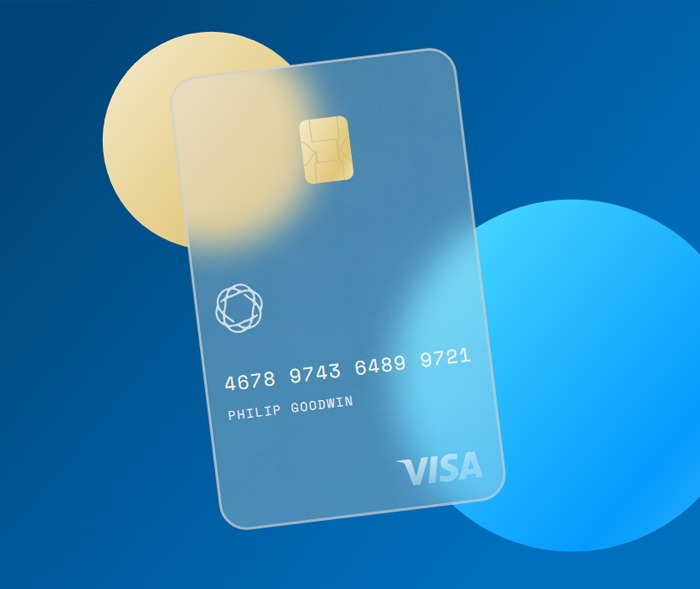
마우스 움직임에 따라 투명한 카드와 백그라운드가 움직이는 애니메이션 효과입니다.
응용하여 다양하게 활용 가능합니다.
HTML 구조
<svg width="100%" height="100%">
<defs>
<linearGradient id="grad1" x1="0%" y1="0%" x2="100%" y2="65%">
<stop offset="10%" stop-color="#004476" />
<stop offset="90%" stop-color="#006fbe" />
</linearGradient>
<linearGradient id="grad2" x1="0%" y1="0%" x2="100%" y2="85%">
<stop offset="0%" stop-color="#f5eacc" />
<stop offset="80%" stop-color="#e0c677" />
<stop offset="110%" stop-color="#ebd8a0" />
</linearGradient>
<linearGradient id="grad3" x1="0%" y1="0%" x2="100%" y2="85%">
<stop offset="0%" stop-color="#54e2fe" />
<stop offset="80%" stop-color="#049afd" />
<stop offset="110%" stop-color="#2aaffc" />
</linearGradient>
<linearGradient id="grad4" x1="0%" y1="0%" x2="80%" y2="70%">
<stop offset="0%" stop-color="rgba(255,255,255,0.75)" />
<stop offset="90%" stop-color="rgba(255,255,255,0.3)" />
</linearGradient>
<pattern id="cardBg" x="0" y="0" width="100" height="100" patternUnits="userSpaceOnUse">
<image opacity="0.5" width="100" height="100" xlink:href="https://assets.codepen.io/721952/whiteNoise2.png" />
<image class="fillLight" opacity="0.5" width="100" height="100" xlink:href="https://assets.codepen.io/721952/whiteNoise.png" />
</pattern>
<mask id="m">
<rect class="card" fill="#fff" width="340" height="540" rx="30" ry="30" />
</mask>
</defs>
.
.
.
</svg>
CSS 소스
@import url('https://fonts.googleapis.com/css2?family=Space+Mono&display=swap');
html, body {
width:100%;
height:100%;
overflow:hidden;
font-family: 'Space Mono', monospace;
letter-spacing:1.6px;
}
JS 소스
gsap.timeline()
.set('.logo', { x:215, y:482 })
.set('.chip', { x:148, y:66 })
.set('.knot', { x:22, y:250 })
.set('.numTxt', { x:22, y:375 })
.set('.nameTxt', { x:22, y:410 })
.add(centerMain(), 0.2)
.from('.ball', { duration:2,
transformOrigin:'50% 50%',
scale:0,
opacity:0,
ease:'elastic',
stagger:0.2
}, 0)
.fromTo('.card', { x:200,
y:40,
transformOrigin:'50% 50%',
rotation:-4,
skewX:10,
skewY:4,
scale:2,
opacity:0
},{
duration:1.3,
skewX:0,
skewY:0,
scale:1,
opacity:1,
ease:'power4.inOut'
}, 0.2)
.
.
.
해당 사이트로 이동해서 전체 소스를 확인하실 수 있습니다.