

| 일 | 월 | 화 | 수 | 목 | 금 | 토 |
|---|---|---|---|---|---|---|
| 1 | ||||||
| 2 | 3 | 4 | 5 | 6 | 7 | 8 |
| 9 | 10 | 11 | 12 | 13 | 14 | 15 |
| 16 | 17 | 18 | 19 | 20 | 21 | 22 |
| 23 | 24 | 25 | 26 | 27 | 28 | 29 |
| 30 | 31 |
- 사이트제작
- #image
- 해피CGI
- #해피CGI
- CGIMALL
- 웹솔루션
- CSS
- php
- #jQuery
- #CSS
- 해피씨지아이
- 홈페이지
- 이미지
- #쇼핑몰
- #홈페이지
- #뉴스
- jquery
- #동영상
- #웹솔루션
- 게시판
- #cgimall
- 홈페이지제작
- #이미지
- #솔루션
- #happycgi
- #홈페이지제작
- javascript
- #업종별
- 솔루션
- happycgi
- Today
- Total
웹솔루션개발 26년 노하우! 해피CGI의 모든것
[해피CGI][cgimall] 투명 아이콘 버튼 Glassmorphism Icon Buttons 본문
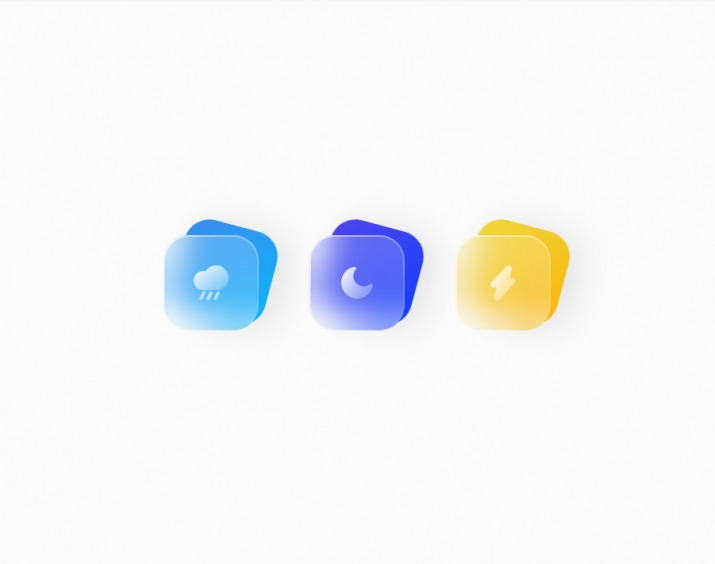
글래스모피즘 버튼 효과입니다.
HTML 구조
<div class="block-container">
<div class="btn-back btn-back-1"></div>
<div class="btn-front">
<svg class="frame">
<rect rx="32" stroke="url(#gradient-half)" />
</svg>
<path d="M12.3999 17.4999C11.8999 17.2999 11.2999 17.3999 11.0999 17.8999L9.29989 21.4999C8.99989 21.9999 9.19989 22.5999 9.69989 22.8999C9.79989 22.9999 9.99989 22.9999 10.1999 22.9999C10.5999 22.9999 10.8999 22.7999 11.0999 22.4999L12.8999 18.8999C13.0999 18.2999 12.8999 17.6999 12.3999 17.4999Z" fill="url(#gradient-full)" />
<path d="M17 17.4999C16.5 17.2999 15.9 17.3999 15.7 17.8999L13.9 21.4999C13.7 21.9999 13.8 22.5999 14.3 22.7999C14.4 22.8999 14.6 22.8999 14.8 22.8999C15.2 22.8999 15.5 22.6999 15.7 22.3999L17.5 18.7999C17.7 18.2999 17.5 17.6999 17 17.4999Z" fill="url(#gradient-full)" />
<path d="M7.89994 17.4999C7.39994 17.2999 6.79994 17.3999 6.59994 17.8999L4.79994 21.4999C4.59994 21.9999 4.69994 22.5999 5.19994 22.7999C5.29994 22.9999 5.49994 22.9999 5.59994 22.9999C5.99994 22.9999 6.29994 22.7999 6.49994 22.4999L8.29994 18.8999C8.59994 18.2999 8.39994 17.6999 7.89994 17.4999Z" fill="url(#gradient-full)" />
<path d="M15.2 1C12.4 1 9.9 2.5 8.5 4.8C8 4.7 7.5 4.6 7 4.6C3.7 4.6 1 7.3 1 10.6C1 13.9 3.7 16.6 7 16.6H15.2C19.5 16.6 23 13.1 23 8.8C23 4.5 19.5 1 15.2 1Z" fill="url(#gradient-full)" />
</svg>
</div>
</div>
<div class="block-container">
<div class="btn-back btn-back-2"></div>
<div class="btn-front">
<svg class="frame">
<rect rx="32" stroke="url(#gradient-half)" />
</svg>
<path d="M12.2999 22.0001C9.59992 22.0001 6.99992 21.0001 4.99992 19.0001C0.999923 15.0001 0.999923 8.70009 4.89992 4.80009C6.29992 3.30009 8.19992 2.30009 10.2999 2.00009C10.6999 1.90009 11.0999 2.10009 11.2999 2.50009C11.4999 2.90009 11.4999 3.30009 11.1999 3.60009C8.99992 6.10009 9.19992 10.0001 11.5999 12.4001C13.9999 14.8001 17.7999 15.0001 20.2999 12.8001C20.5999 12.5001 21.0999 12.5001 21.3999 12.7001C21.7999 12.9001 21.9999 13.3001 21.8999 13.7001C21.5999 15.8001 20.5999 17.6001 19.1999 19.1001C17.2999 21.0001 14.7999 22.0001 12.2999 22.0001Z" fill="url(#gradient-full)" />
</svg>
</div>
</div>
<div class="block-container">
<div class="btn-back btn-back-3"></div>
<div class="btn-front">
<svg class="frame">
<rect rx="32" stroke="url(#gradient-half)" />
</svg>
<path d="M8.49995 22.9999C8.19995 22.9999 7.89995 22.8999 7.59995 22.7999C6.79995 22.3999 6.39995 21.5999 6.59995 20.7999L7.79995 14.9999H5.99995C5.19995 14.9999 4.49995 14.4999 4.19995 13.7999C3.89995 13.0999 3.99995 12.2999 4.59995 11.7999L14.0999 1.6999C14.6999 1.0999 15.6999 0.899901 16.3999 1.2999C17.1999 1.6999 17.5999 2.4999 17.3999 3.2999L16.1999 9.0999H17.9999C18.7999 9.0999 19.4999 9.5999 19.7999 10.2999C20.0999 10.9999 19.9999 11.7999 19.3999 12.2999L9.89995 22.3999C9.49995 22.7999 8.99995 22.9999 8.49995 22.9999Z" fill="url(#gradient-full)" />
</svg>
</div>
</div>
<svg style="visibility: hidden; width: 0; height: 0;">
<defs>
<linearGradient id="gradient-full" x1="0%" y1="0%" x2="120%" y2="120%">
<stop offset="0%" stop-color="#ffffff" />
<stop offset="100%" stop-color="#ffffff00" />
</linearGradient>
<linearGradient id="gradient-half" x1="-50%" y1="-50%" x2="100%" y2="100%">
<stop offset="0%" stop-color="#ffffff" />
<stop offset="100%" stop-color="#ffffff00" />
</linearGradient>
</defs>
</svg>
CSS(SCSS) 소스
body {
position: relative;
display: flex;
justify-content: center;
align-items: center;
width: 100%;
height: 100vh;
min-height: 400px;
background-color: #fbfbfb;
.block-container {
position: relative;
width: 120px;
height: 120px;
margin: 32px;
transition: 250ms;
perspective: 500px;
.btn-back {
position: absolute;
inset: 0;
z-index: -1;
width: inherit;
height: inherit;
border-radius: 32px;
transition: 250ms;
transform-style: preserve-3d;
transform-origin: bottom right;
transform: rotateZ(15deg);
will-change: transform;
box-shadow: 16px 0 40px #e4e4e4;
}
.btn-back-1 {
background: linear-gradient(135deg, #4682eb -20%, #01beff 120%);
}
.btn-back-2 {
background: linear-gradient(135deg, #5c46eb -20%, #013fff 120%);
}
.btn-back-3 {
background: linear-gradient(135deg, #ebe046 -20%, #ffac01 120%);
}
.btn-front {
position: absolute;
inset: 0;
z-index: 1;
width: inherit;
height: inherit;
border-radius: 32px;
background-color: #ffffff33;
backdrop-filter: blur(20px);
transition: 250ms;
transform-style: preserve-3d;
transform-origin: top left;
overflow: hidden;
svg.frame {
width: inherit;
height: inherit;
rect {
width: inherit;
height: inherit;
fill: none;
stroke-width: 4;
}
}
svg.icon {
position: absolute;
inset: 50% 0 0 50%;
transform: translate(-50%, -50%);
}
}
&:hover {
& > .btn-back {
transform: translateZ(20px) rotateZ(15deg) rotateX(-20deg) rotateY(-20deg);
}
& > .btn-front {
transform: translateZ(80px) translateY(-5px) rotateX(15deg) rotateY(15deg);
}
}
}
}
@media (max-width: 600px) {
body {
flex-direction: column;
}
}
첨부파일을 다운로드하거나 해당 사이트로 이동하여 전체 소스를 확인하실 수 있습니다.

'웹프로그램밍 자료실 > 기타 자료' 카테고리의 다른 글
| [해피CGI][cgimall] Infinite Gallery Hall (0) | 2026.05.08 |
|---|---|
| [해피CGI][cgimall] Holographic Glitch CSS only (0) | 2026.05.07 |
| [해피CGI][cgimall] Claude Code Opus 4.6의 성능이 실제로 저하되는지를 감지하는 사이트 (0) | 2026.04.27 |
| [해피CGI][cgimall] CSS 프레임 워크 - tailwindcss 4.2 (0) | 2026.04.24 |
| [해피CGI][cgimall] CodePen Home CSS Border Corner Shape: Scoop, Notch, Squre-Cut 박스 모서리 깍기 (0) | 2026.03.13 |


